
IEP&Me
Their Mission: IEP&Me ensures every student can achieve academically regardless of their disability by providing an online platform that empowers students to take control of their learning through an individualized learning and advocacy plan. IEP&Me supports students, teachers, and families throughout the special education process, seeking to create transparency, clarity, and ease so that students can be lifelong learners and valuable members of society.
My Role: I was one of the team members of IEP&Me, a UI Designer who helped to develop an “easy to use” IEP online platform.
Goals
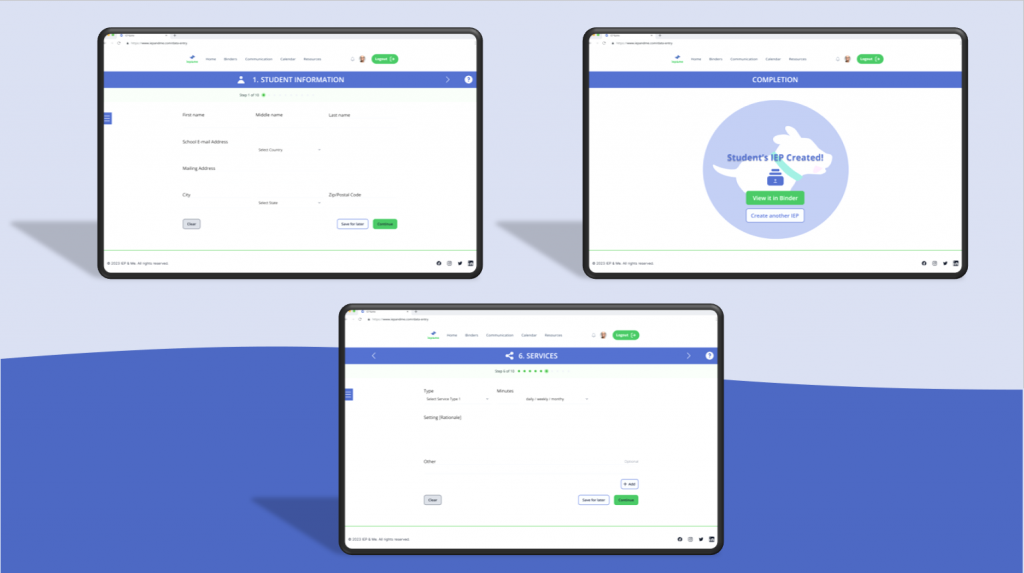
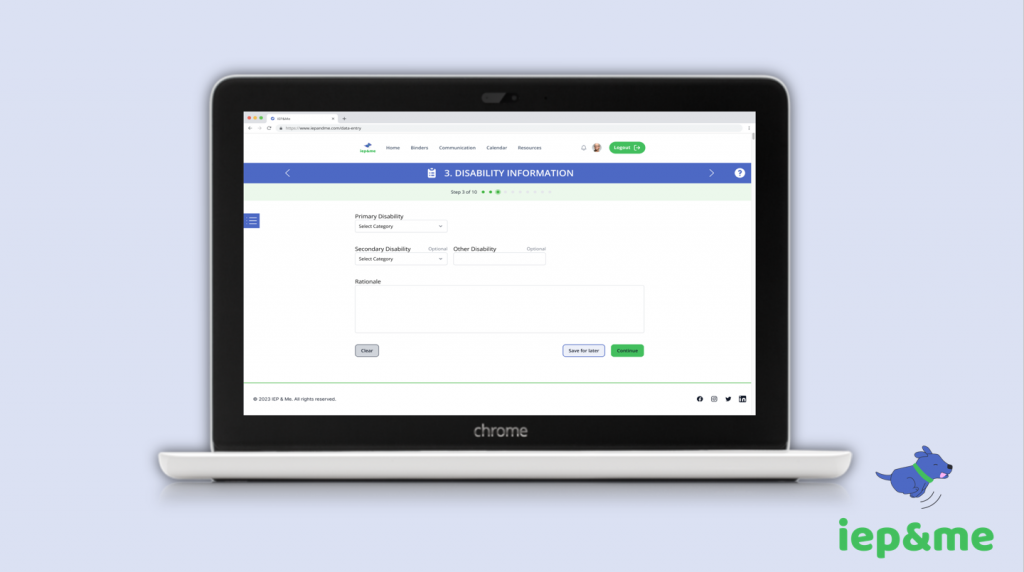
- Designed the data entry form in which school administrators and educators can input the students’ IEP into the IEP&Me online platform system.
- Provide centralization – all in one place
- Simple, minimalistic, and easy!
Problems
- Process of creating an Individual Education Plan (IEP) was time-consuming, and a daunting experience for clients
- IEPs were technical and filled with jargon terminologies
- Lengthy, complex, and hard!
Design
User Experience, User Interface
Design System
Team: 1 product manager, 1 lead designer (mentor), 1 designer, and 3 developers
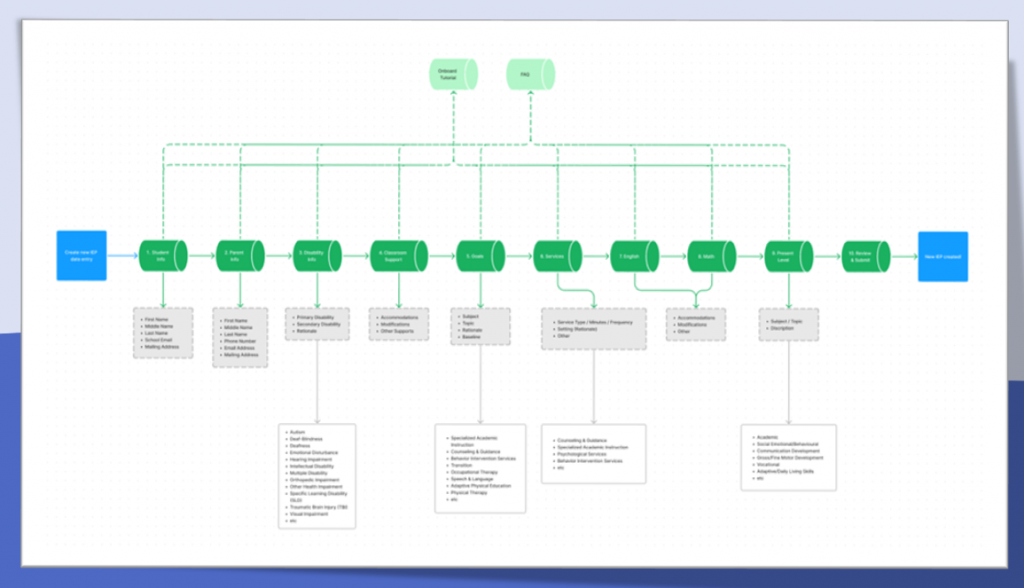
User Flow
Personas
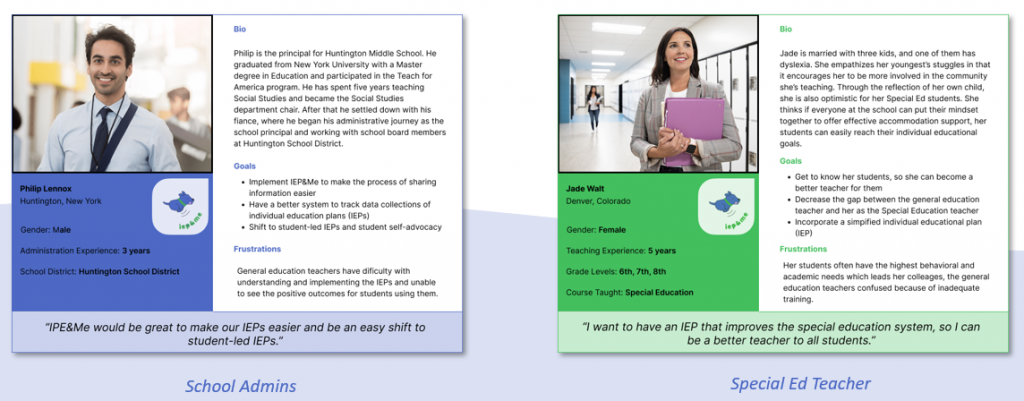
The first two persona bios are the school administrator and the Special Education Teacher. They have their own set of goals and frustrations in their workplace.
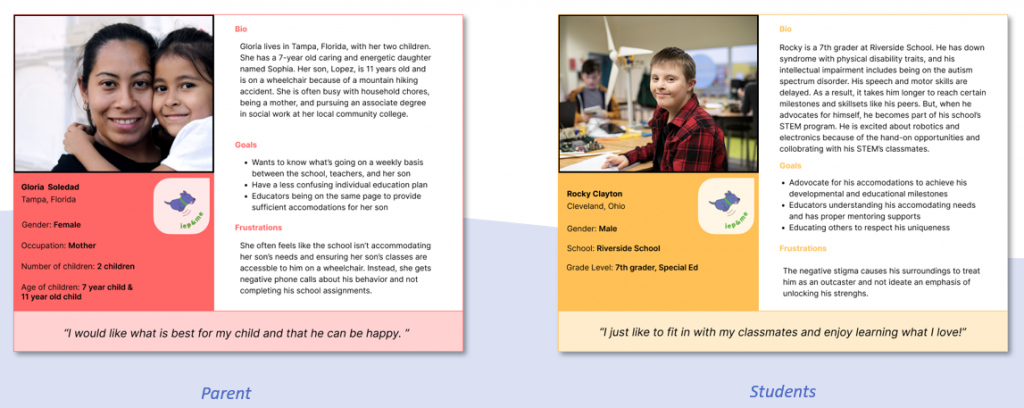
These two persona bios are the parent(s) and the student. The parent(s) has a goal to get the best accommodations for their child from the school but has frustrations. The child may lack self-advocacy.
Identifying the Challenges
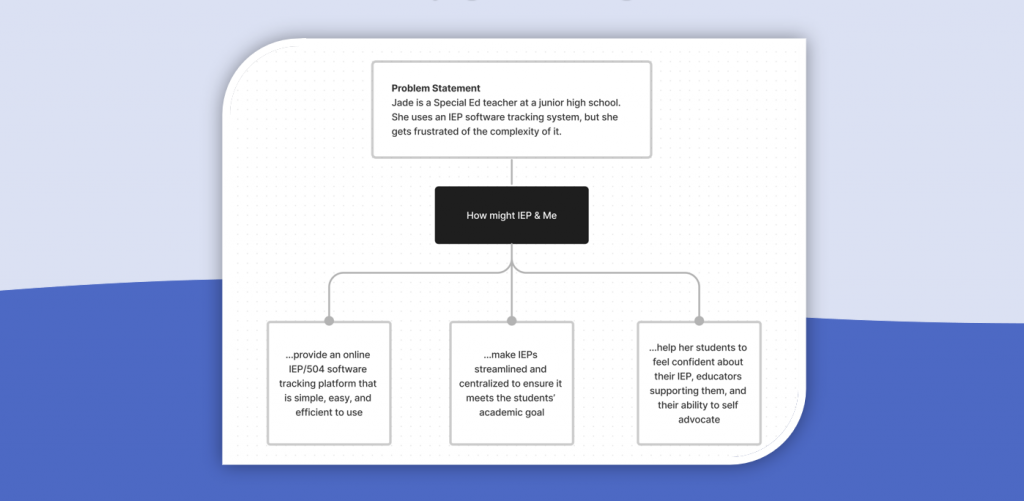
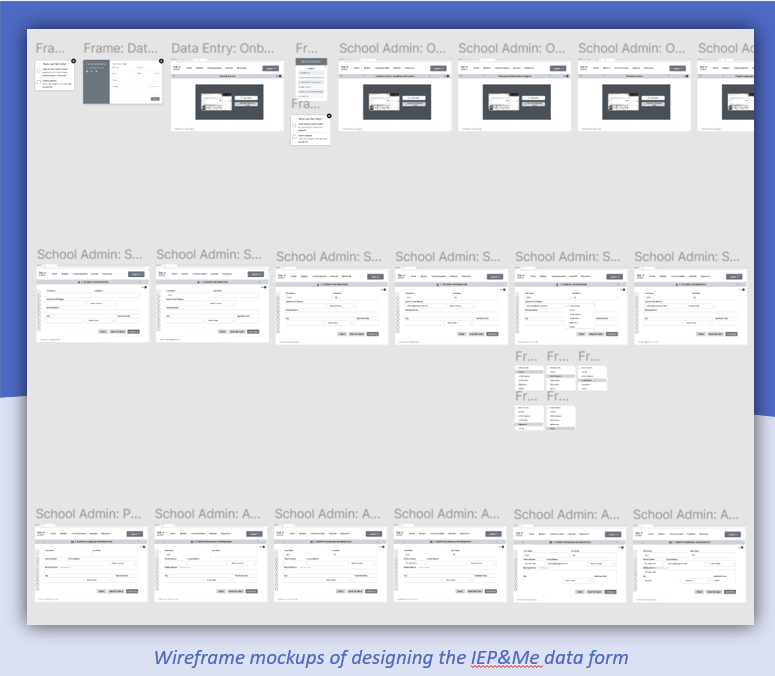
Design Mockups
I began with the wireframing screens for these design mockups. In the initial stage, I would design a linear process for each user to enter data information related to their student’s IEP. I would also consider the efficiency of making the user experience simple and easy, and adding video tutorials and FAQ.
Low-fidelity prototype
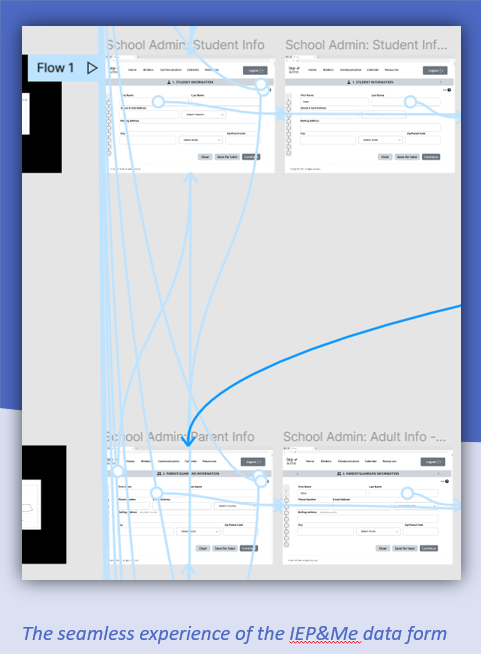
In this prototype, I connected the screen frames to see how the user would navigate when completing the data entry form. My UX mentor provided me with feedback, such as adjusting the layout alignments and making more design iterations.
.
Design Mockups
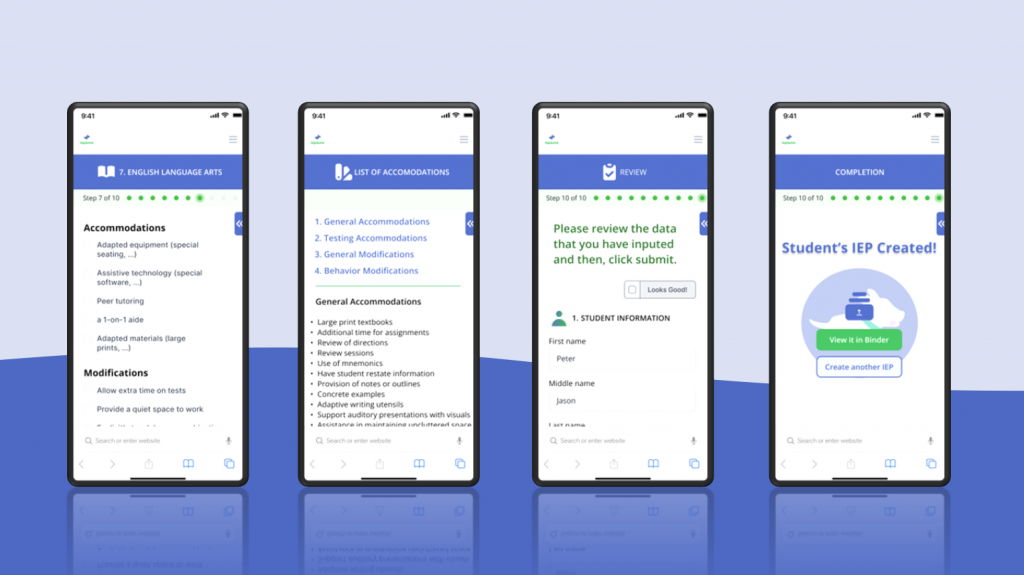
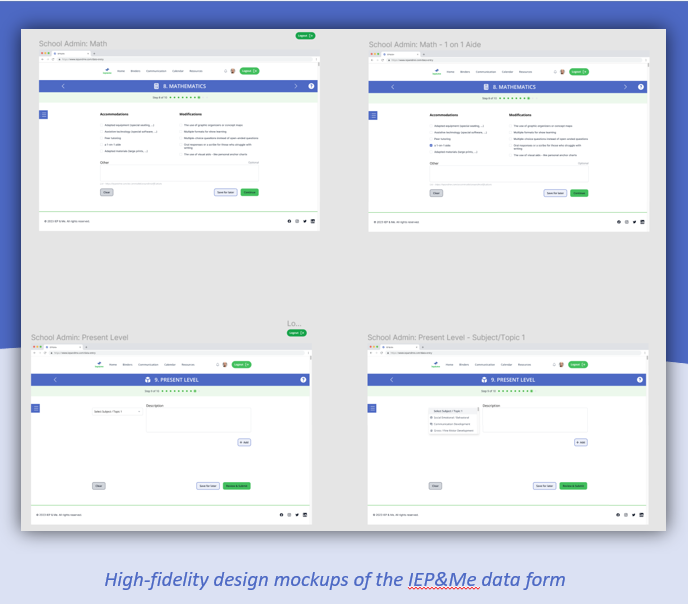
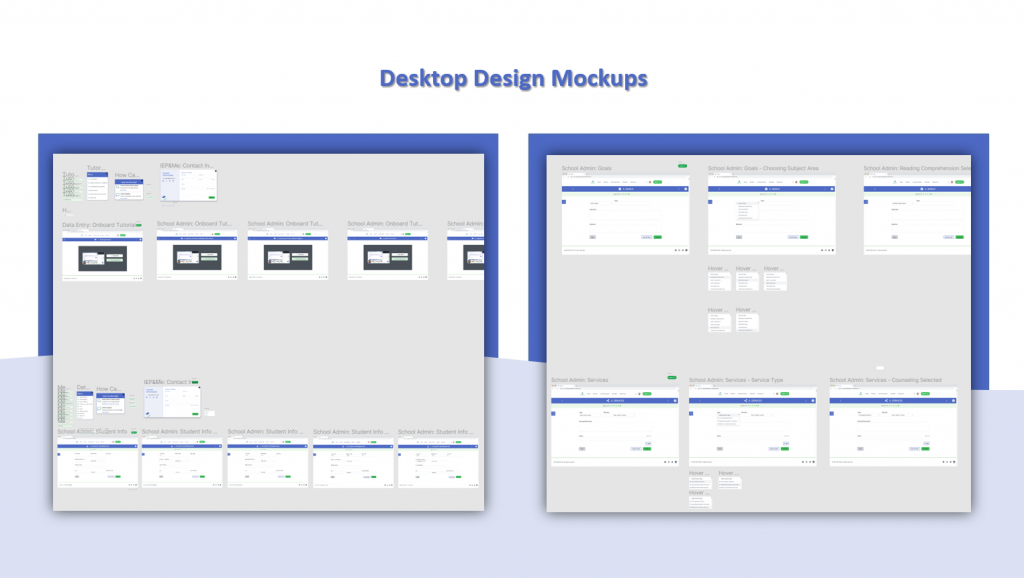
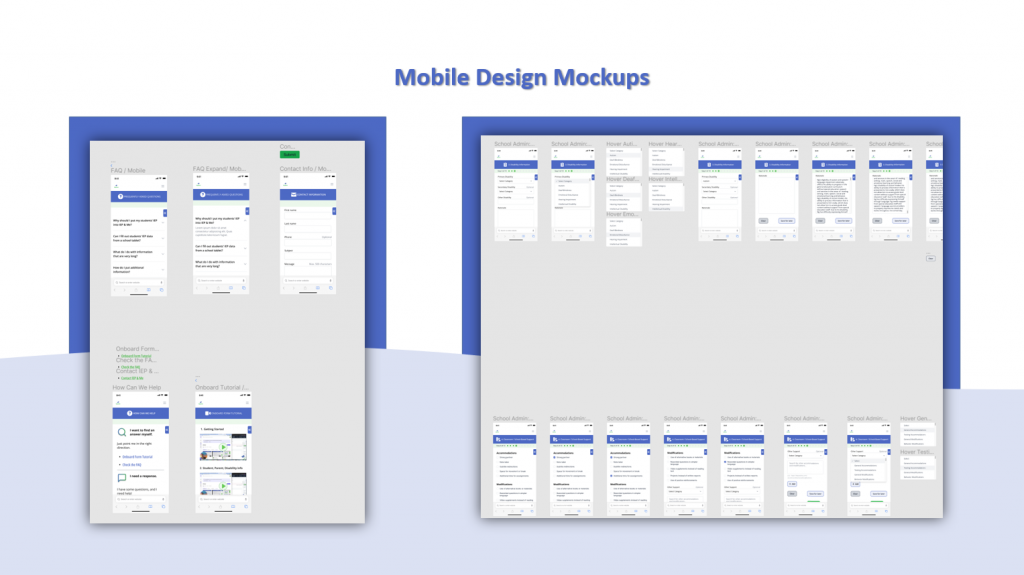
In these designs, I continued the iterations with added improvements. For example, I optimized the menu feature with a better user experience so that the user can move from one step to another step quickly. I also added a review section before the user submits their student’s IEP information.
I used the color design style that matches IEP&Me branding.
High-fidelity prototype
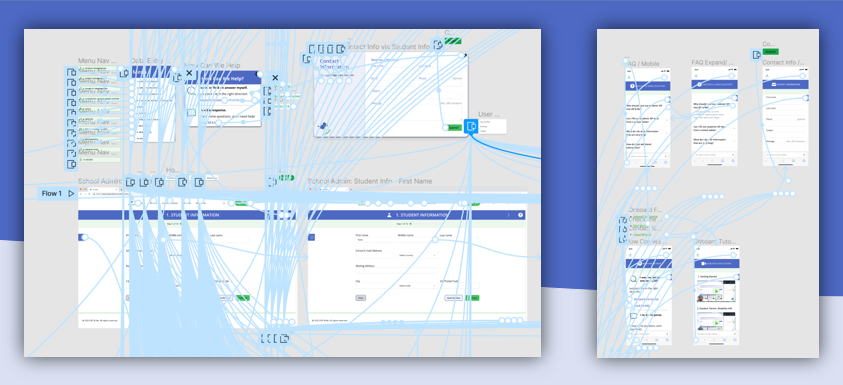
The process of inputting the student’s IEP information offered a seamless and minimalistic experience for the user. The user could select the appropriate accommodations and modifications from an external list with more choices. The Help feature provided video tutorials, contact information, and an FAQ section.
Takeaway of What I Learned & the Next Step
The takeaway from this valuable opportunity was learning more about Special Education’s Individual Education Plan (IEP) and working alongside a diverse team who support those with disability. I was also inspired by disability self-advocacy, the importance of accessibility, and how accessibility should be available to those who need it. I was thankful that I could use my gifted skills to produce quality UI/UX designs.
IEP&Me allowed me to grow in designing efficient user flow designs. I also produced and refined design mockups, as well as improved the navigation and engagement experience of the design prototypes. The next step will be working on the student IEP&Me online platform.