

OgStar Reading: Picture Dictionary
PowerPoint Presentation: OgStar Reading
OgStar Reading
It provides students in grades pre-K through 8 with an enjoyable and comprehensive 106-lesson literacy game, based on the well-respected Orton-Gillingham approach.
My role was to develop their supplementary picture dictionary that is aimed at early readers, students with dyslexia, and English language learners.
Goals
• Design an intuitive, accessible vocabulary experience
Create a picture‑supported interface that helps students understand and explore words easily.
• Integrate the Picture Dictionary into the learning journey
Ensure students can access vocabulary support naturally, without breaking their flow.
• Increase engagement through gamification
Add a quiz feature that reinforces learning and keeps students motivated.
Problems
• Limited support for early readers
Students struggle when vocabulary isn’t reinforced with clear visuals or audio cues.
• Difficulty connecting words to meaning
Learners need context, examples, and repetition to understand and retain new vocabulary.
• Navigation that disrupts learning flow
Young users can get confused when screens aren’t predictable or require too many steps.
Design
User Experience, User Interface
Design Thinking
Team: 1 product manager, 1 designer
Identifying the Challenges

Lo-fi Design Mockups
In developing the Picture Dictionary feature, I took a holistic approach centered on usability, clarity, and learner engagement. I began by creating structured wireframes that established the foundation for the experience, defining a clear flow and intuitive navigation so young learners could explore vocabulary with confidence.
Building on these initial wireframes and interaction patterns, I expanded the concept beyond simple flashcards. While the flashcards offered essential visual support, I saw an opportunity to deepen comprehension by making vocabulary practice more interactive. This led to the design of a quiz feature that works hand‑in‑hand with the picture dictionary

Lo-fi Design Mockups

Rather than treating the dictionary as a static reference, I envisioned an integrated system where visual vocabulary support and gameplay reinforce one another. The quiz encourages students to apply what they’ve learned, turning passive viewing into active participation. Through repetition, play, and immediate feedback, the experience becomes more dynamic and memorable.
By evolving the feature set in this way, the picture dictionary shifts from a basic reference tool to a holistic learning system—one that is visually accessible, culturally thoughtful, and engaging, supporting both motivation and long‑term retention.
Mood Board

Click on the link to view this Picture Dictionary Mood Board on FigJam.

Hi-fi Design Mockups
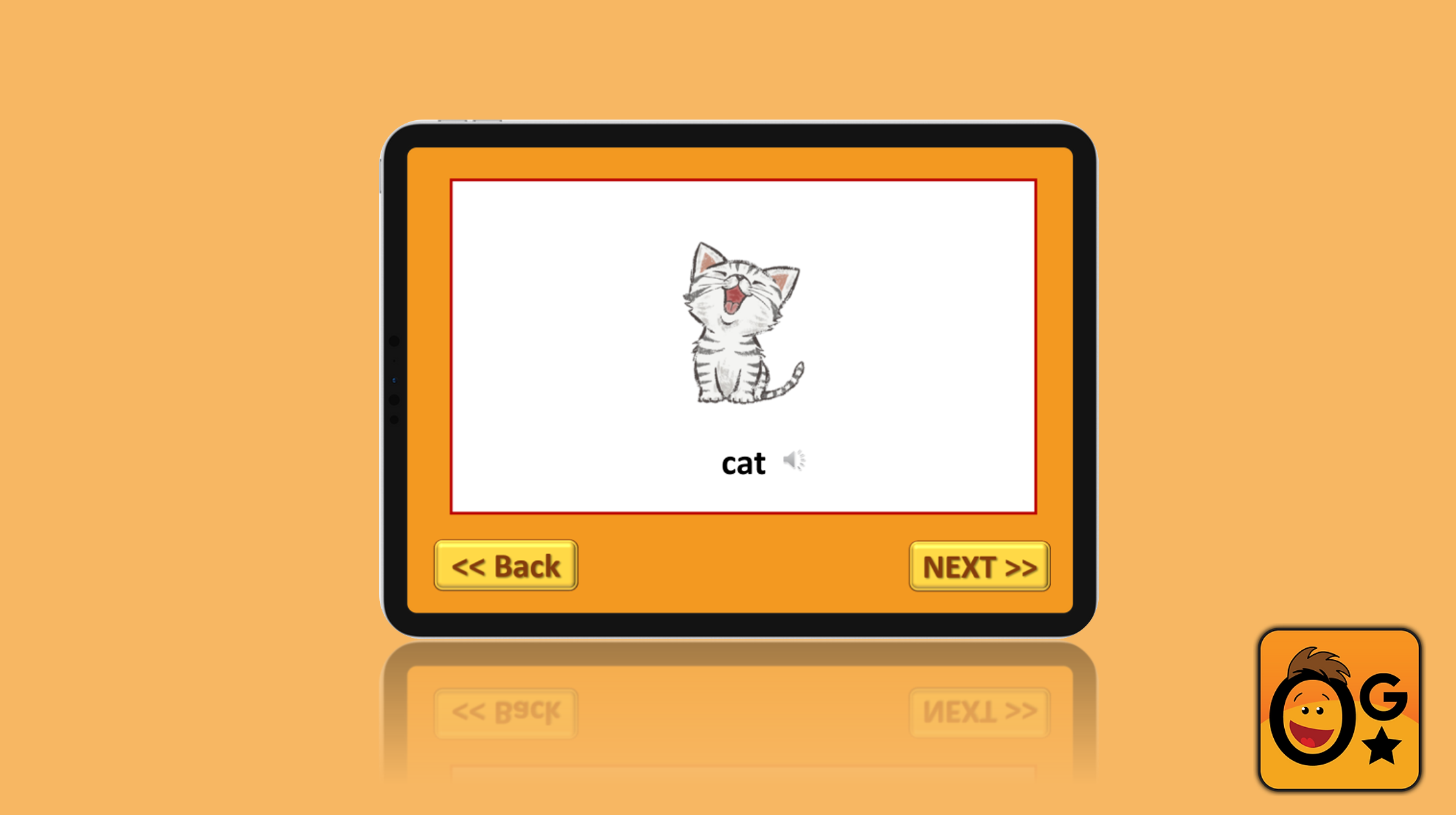
In developing the high‑fidelity mockups for the OgStar Reading Supplement, I focused on creating a seamless and intuitive user experience.
The supplement included both a picture‑dictionary flashcard system and a quiz game, but the transition between these two features felt disjointed. To improve usability, I introduced an additional screen frame that allows students to move directly from the picture dictionary into the quiz. This streamlined flow reduces unnecessary steps, minimizes cognitive load, and supports a smoother learning journey.


When crafting the visual elements, I carefully selected high‑quality open‑source images that were age‑appropriate and engaging for young learners.
Hi-fi Design Mockups
Cultural sensitivity was a key priority; I adapted imagery to reflect a diverse range of ethnic backgrounds so students could see themselves represented in the content. This thoughtful approach helps foster inclusivity and strengthens learners’ connection to the material.


Throughout the design process, I paid close attention to spacing, typography, and overall readability. Clear visual hierarchy and generous spacing make the interface easier for children to navigate, while accessible typography supports early readers and students with dyslexia. I also incorporated touchscreen‑friendly buttons to ensure smooth movement between screens, making interactions feel natural and intuitive.
Together, these design decisions create a high‑fidelity experience that is visually coherent, culturally considerate, and functionally seamless—supporting both engagement and effective learning.

Hi-Fi Prototype
The high‑fidelity prototype demonstrates how the picture dictionary can function as a fully interactive learning tool. I incorporated audio support to help students hear each word pronounced correctly, which is especially valuable for auditory learners and those developing early literacy skills. This feature strengthens comprehension and supports independent learning.
To build on this foundation, I integrated the quiz feature directly into the prototype. The quiz adds an element of interactivity and self‑assessment, encouraging students to apply what they’ve learned and reinforcing vocabulary through repetition and play. This approach aligns with effective learning strategies and makes the experience both engaging and educational.
I shared this prototype with my product manager as a vision for how the picture dictionary and quiz could work together as a cohesive system. The prototype highlights the product’s ability to support diverse learning preferences and showcases its potential as a versatile educational tool.
Click the link to view the prototype:

Takeaway of what I learned
My internship gave me the opportunity to design tools that support young readers who face learning challenges. Developing the picture dictionary and its accompanying quiz feature taught me how thoughtful UX/UI design can directly influence motivation, comprehension, and confidence.
Working closely with my product manager strengthened my ability to iterate based on feedback and refine user flows with clarity and purpose. The process pushed me to think creatively about how to make learning more intuitive and engaging, especially for students who benefit from visual and interactive support.
Overall, this experience deepened my understanding of designing for accessibility, reinforced the value of iterative problem‑solving, and allowed me to contribute to meaningful educational solutions that help build literacy skills.