

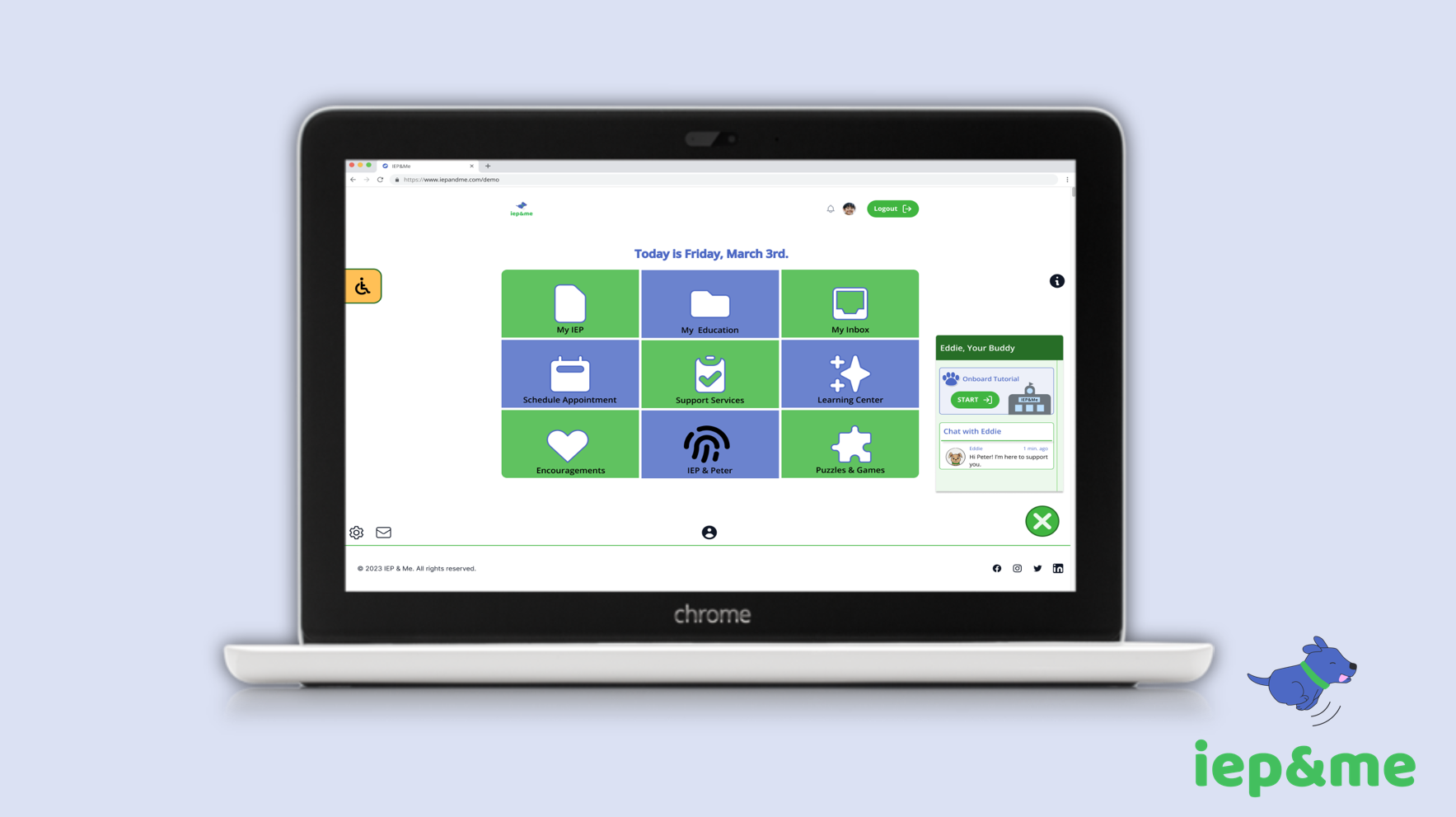
IEP&Me: Student IEP Platform

PowerPoint Presentation: Student IEP&Me Platform
Overview
Project: IEP&Me — Student‑facing IEP/504 online platform
Role: UX/UI Designer (with neurodivergent lived experience)
Team: 1 PM, 2 lead designers, 1 designer, 3 developers
Focus: Accessibility, student‑centered UX, design system, user flows, high‑fidelity UI
Goal: Empower students with disabilities to understand, access, and advocate for their Individualized Education Plans (IEPs).
Figma Prototype: The Student IEP&Me Platform
The Problem
Traditional IEPs are:
- Not student‑led
- Filled with jargon
- Hard to access
- Overwhelming and confusing
- Designed for adults, not the students who rely on them
Students needed a simple, intuitive, and empowering platform that gives them ownership of their learning and accommodations.
Users & Research
I designed for four key groups:
Students with Disabilities
- Need clarity, emotional support, and accessible navigation
- Want to understand their accommodations and goals
- Benefit from visual cues, simplified language, and guided interactions
Parents
- Need transparency and weekly updates
- Want reassurance that accommodations are being met
Teachers & Special Education Staff
- Need a simpler way to communicate IEP information
- Want tools that reduce confusion and support student advocacy
Administrators
- Need compliance‑aligned data and streamlined workflows
Interviews, personas, and lived experience revealed a shared need: make the IEP process human, accessible, and student‑centered
Personas

Competitive Analysis

Identifying the Challenges

User Flow

Click on this link for a comprehensive view of the features of this IEP&Me platform for students.
Design Process – 1. Define
- Identified barriers in the current IEP process
- Mapped the student journey from confusion → clarity → empowerment
- Prioritized accessibility, emotional safety, and cognitive simplicity

2. Ideate

- Created low‑fidelity wireframes for the student dashboard, IEP viewer, support services, and community features
- Explored how to simplify complex IEP data into digestible sections
- Designed the concept for Eddie, the AI buddy who guides students
Primary Colors

Secondary Colors

3. Design

- Built mid‑ and high‑fidelity mockups with a calming, student‑friendly visual system
- Introduced features such as:
o My IEP (collapsible sections, simplified language)
o How I Learn (student‑authored learning profile)
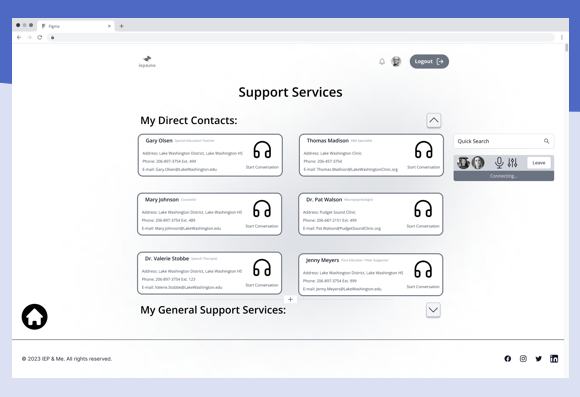
o Support Services (clear access to specialists)
o Community Connection (peer groups for belonging)
o Gamified learning center (puzzles, games, SEL resources)
- Added accessibility tools: text‑to‑speech, readable fonts, color contrast, magnifier
4. Test
Conducted usability testing with students and educators.
Key insights:
- Students needed fewer steps and clearer labels
- Emotional tone mattered — encouraging language reduced anxiety
- Visual hierarchy improved comprehension
- Students preferred icons + text for navigation
5. Iterate
- Simplified navigation into 9 core features
- Strengthened visual hierarchy
- Added emotional support microcopy
- Improved accessibility tools and compliance alignment
- Refined the “How I Learn” section to feel more personal and empowering

Mockup of the Student Profile

Design Mockups

Final Designs
The final platform includes:
- Student‑friendly dashboard with clear categories
- My IEP with collapsible sections, simplified language, and PDF export
- AI buddy “Eddie” for guidance, encouragement, and emotional support
- Support Services with direct contacts and resources
- Learning Center with SEL and academic tools
- Community Connection for peer belonging
- Accessibility suite (text‑to‑speech, contrast modes, readable fonts)
- Gamified activities to reinforce learning and engagement
These features transform the IEP from a confusing document into a living, supportive tool students can actually use.

Impact & Reflection
This project allowed me to merge UX design with my lived experience as a neurodivergent designer.
Key outcomes:
- Students gained direct access to their IEPs for the first time
- The platform reduced cognitive load and increased clarity
- Teachers and administrators reported improved communication
- Students felt more confident advocating for their needs
- The AI buddy and community features increased engagement and belonging
This project strengthened my skills in accessibility, student‑centered design, and designing for emotional as well as functional needs. It reaffirmed my belief that accessibility is not a feature — it’s a responsibility.


